What’s in My Home Lab and Why It Matters
Imagine coming back home after a long day.
Before you even walk in, the AC has already turned on and cooled the house, but only if it’s hot enough to need it. The lights adjust automatically as you move through the rooms, and the alarm system quietly disarms itself as part of the same flow.
Later, you sit down to watch something. The new episode of your favorite show is already there automatically downloaded, organized, and ready to play. No subscription, no platform. Just your own server, doing the work. You did not search for it, you did not move files around. It was just there.
Throughout the day, other things happen in the background. Expenses get logged without opening an app, small workflows take care of repetitive tasks, and there is a full AI-based fitness coach running on top of my data tracking, analyzing, and adjusting things continuously in a way that would be hard to replicate manually.
Most of this just works.
And none of it happens by accident.
Behind all of that, there is no single app or platform doing the heavy lifting. It all runs inside a home lab made up of a few separate machines, each responsible for a different part of the environment.
Home Lab Architecture
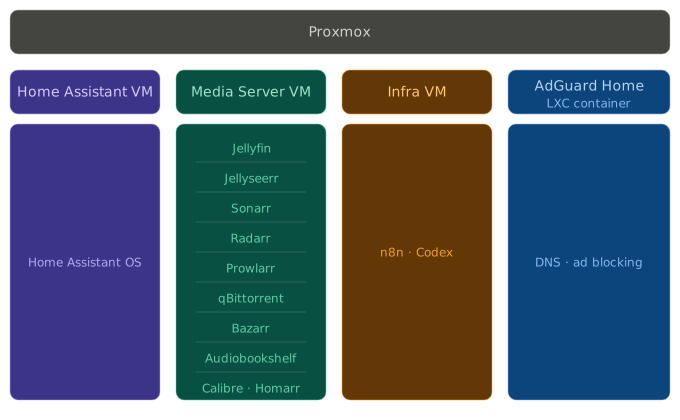
The entire setup runs on top of a Proxmox host, where I split everything into separate virtual machines and containers based on responsibility.
At the moment, the lab is built from:
- Home Assistant VM
- Media Server VM
- Infra VM
- AdGuard Home (LXC container)
Each one has a clear role. Instead of stacking everything together, I prefer to separate systems by function. It keeps things cleaner, easier to manage, and much easier to extend over time.
Proxmox
Proxmox is the platform that everything runs on.
It is an open-source virtualization environment that lets you run multiple virtual machines and containers on a single physical server. Instead of treating one machine as one system, it lets you break it into multiple isolated environments, each doing a specific job.
That is what makes the rest of the lab possible. Without it, everything would be competing for the same space, the same resources, and the same level of control.
It also makes the lab significantly safer to operate. Before making any major change, I can take a snapshot of a VM and roll back instantly if something breaks. Backups are automated and consistent across the board. And managing everything resources, networking, what’s running where happens from a single interface.
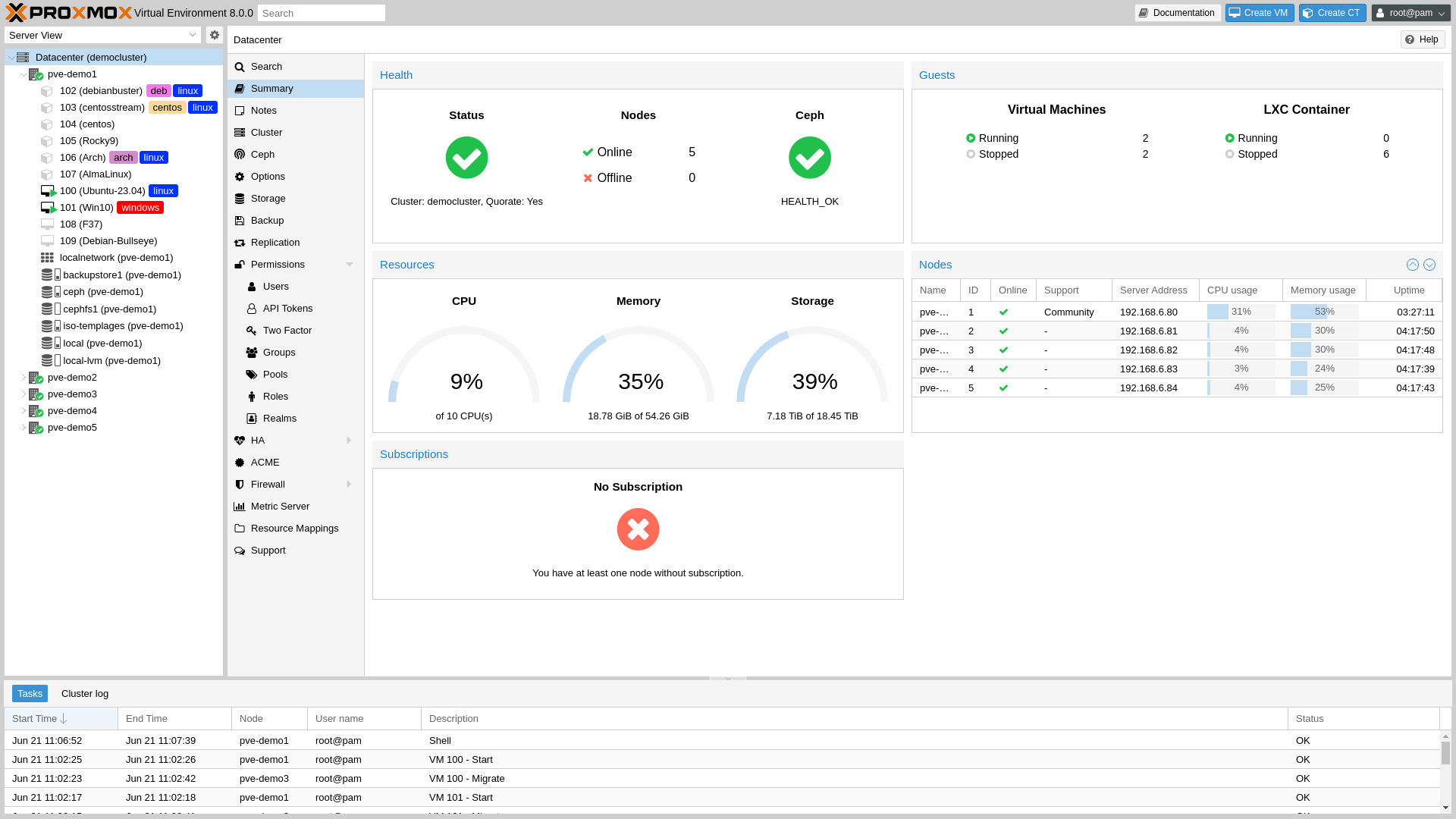
Proxmox Demo
Home Assistant VM
Home Assistant is the system behind everything related to the smart home.
It is one of the largest open-source projects in the world consistently ranked in the GitHub top 10 across all repositories. That is not a coincidence. It is a reflection of how broad and deep the platform actually is.
It integrates with thousands of devices and services from smart bulbs and sensors to cloud platforms and third-party APIs. And on top of that connectivity, you can build automations that react to context rather than just respond to commands. The two things together are what make it genuinely powerful.
In practice, this is what makes things like the AC turning on before I get home, or the lights adjusting automatically based on time and movement, feel natural instead of scripted.
It is not just a smart home platform. It is the layer that turns a house full of separate devices into something that actually behaves like a system.
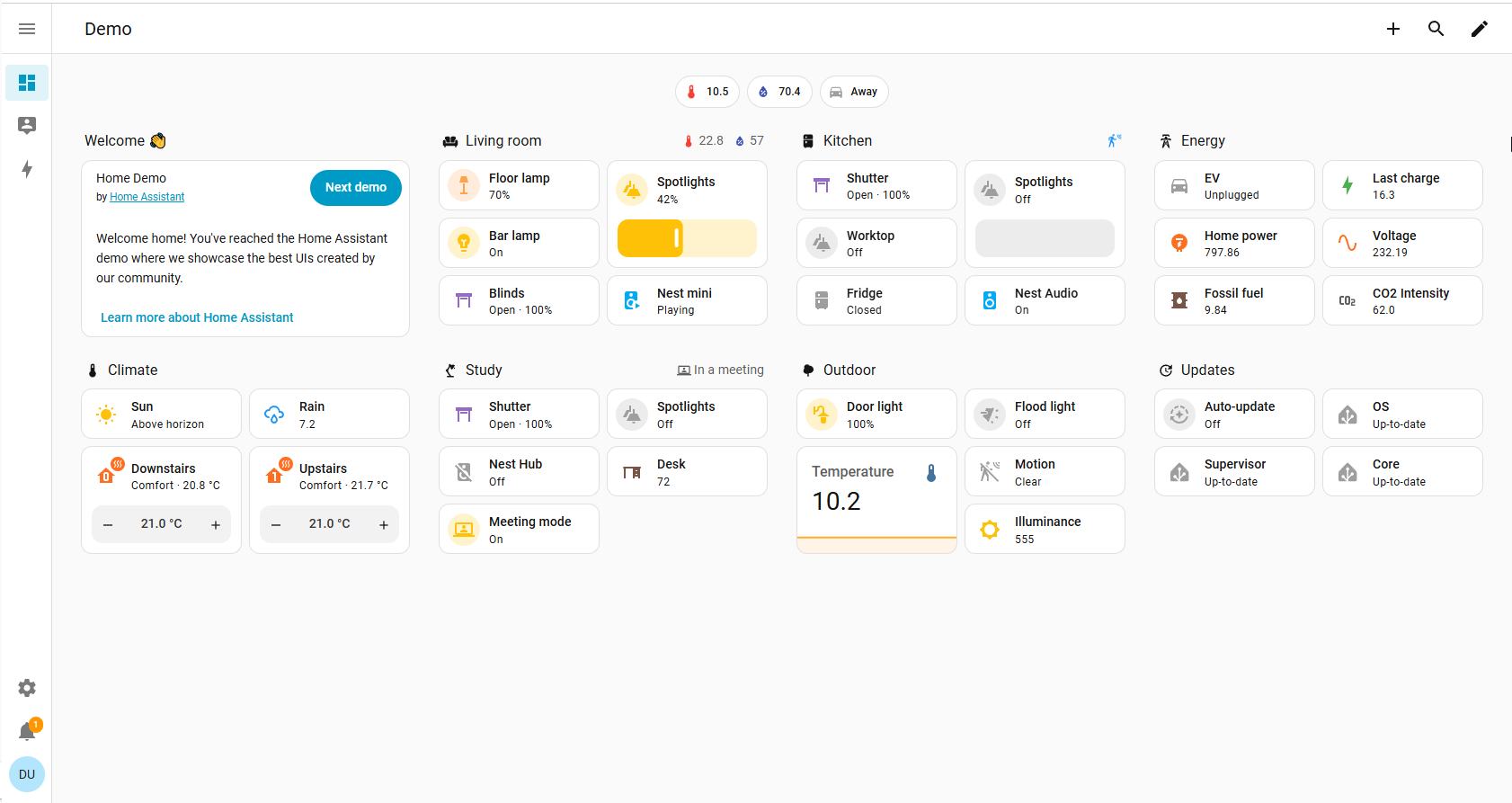
Home Assistant Demo
Media Server VM
The media server is built from a set of containers, each responsible for a specific part of the pipeline.
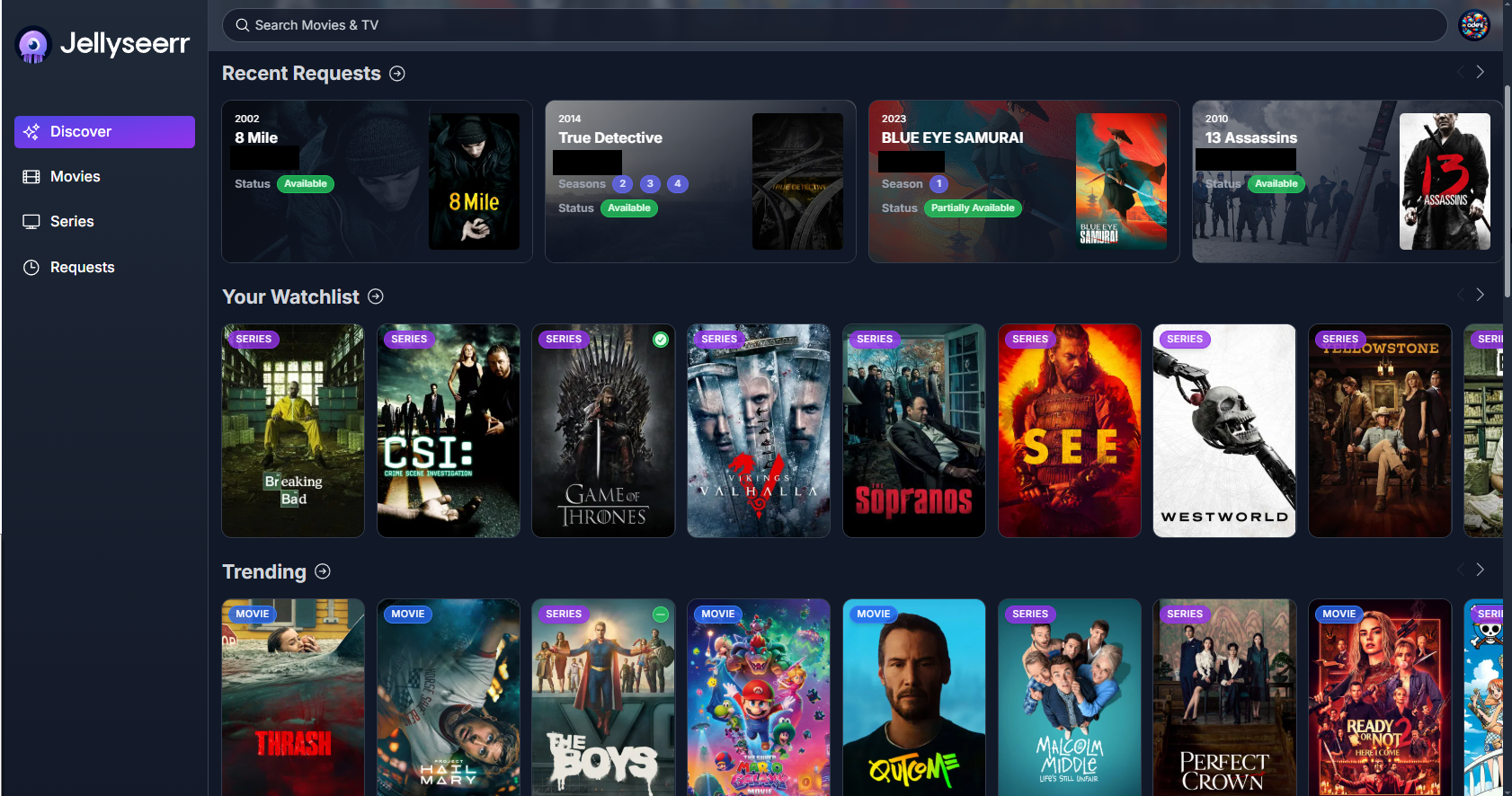
Jellyseerr Home Page
- Jellyseerr - the request interface. This is where everything starts. Instead of touching any of the underlying tools directly, you submit a request here a movie, a series, a season.
- Sonarr - handles TV series. Once a request comes in, Sonarr takes over and manages the search, download, and organization of episodes automatically.
- Radarr - does the same for movies.
- Prowlarr - manages the indexers. It is the layer that tells Sonarr and Radarr where to actually look for content.
- qBittorrent - the download client. It receives the task and handles the actual downloading.
- Bazarr - automatically fetches subtitles for everything that gets downloaded.
- Jellyfin - the media server itself. Once content is downloaded and organized, Jellyfin makes it available to watch on any device, anywhere.
- Audiobookshelf - a self-hosted server for audiobooks and podcasts. It exposes an endpoint that dedicated mobile apps connect to directly, so you get a full native listening experience on your phone - backed entirely by your own server.
- Calibre - manages the ebook library, handles format conversions, and keeps everything organized.
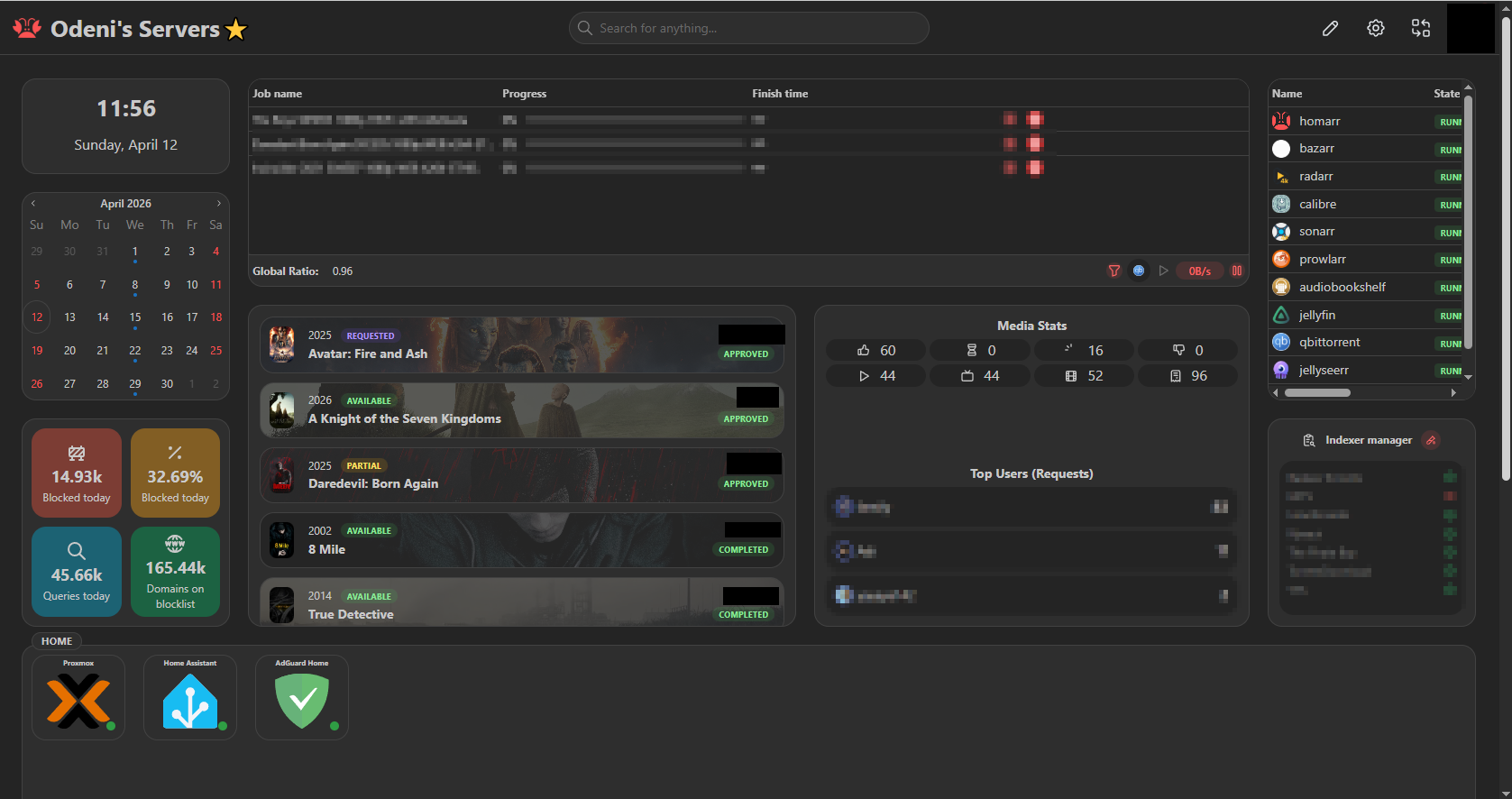
- Homarr - the dashboard for the entire home lab. It sits in this VM but serves everything. Instead of remembering IP addresses and ports for every service, Homarr gives you one clean interface with all your apps in one place. It also integrates directly with the services running behind it - showing real-time status, active downloads, and other live data - not just shortcuts.
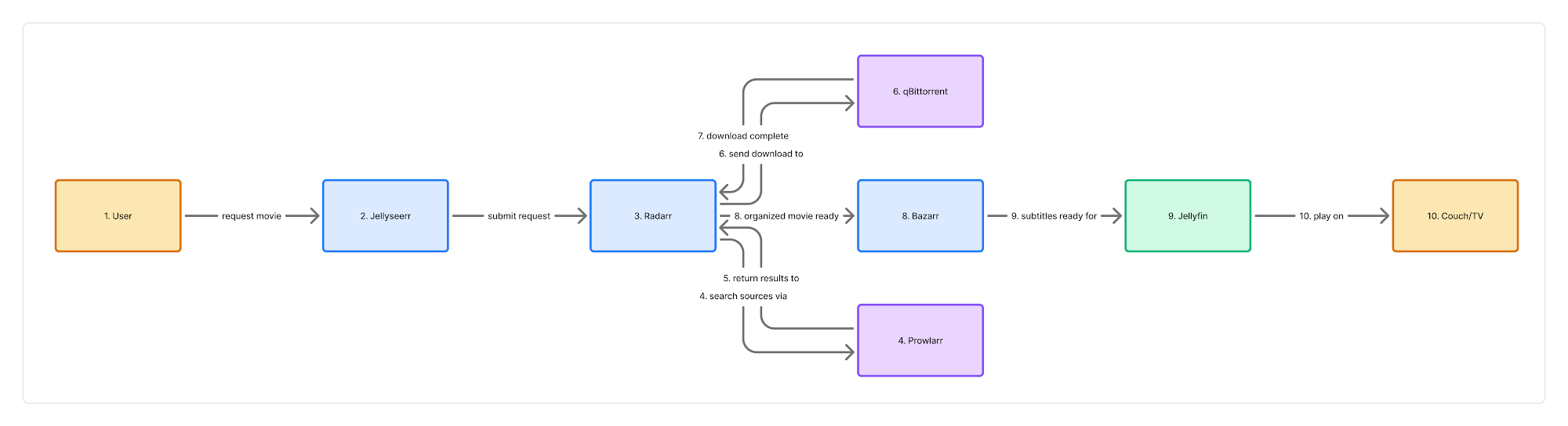
From request to couch how it actually works
Say I want to watch a movie I heard about. Instead of searching for it manually, I open Jellyseerr and submit a request. That is the only thing I do.
From there, everything else happens automatically.
Jellyseerr passes the request to Radarr, which identifies the movie and finds the best available version through Prowlarr. Prowlarr searches across all configured indexers and returns the results. Radarr picks the best match based on quality preferences I set once and never touch again, then sends the task to qBittorrent.
qBittorrent downloads the file. Once it is done, Radarr moves it into the right folder and names it correctly. At that point, Bazarr kicks in and automatically fetches the right subtitles for the right language and attaches them to the file.
Jellyfin picks everything up automatically.
By the time I sit down on the couch, the movie is already in my library organized, subtitled, ready to play, on any device, anywhere.
I submitted one request. The rest was the system doing its job.
Movie Automation Flow
Infra VM
The infra VM is where automation lives not the smart home kind, but the kind that touches everything else in my day-to-day life.
Everything here runs in containers.
N8n is the core of this VM. It is an open-source workflow automation platform like Zapier, but self-hosted, with no limits on what you can connect or how deep you can go. I have been running it seriously for about a year, and it is now the backbone of some of the most useful things in my setup.
Two examples that run on top of it:
- Expense Tracker - a Telegram bot that logs my expenses automatically.I send a message, or my wife does, describing a purchase, and an AI layer parses it, categorizes it, and pushes it into Google Sheets along with other connected systems. It also analyzes patterns and generates statistics over time. The friction is low enough that we actually use it consistently.
- AI Sport Coach - a full AI agent built around my personal health data. It pulls from my watch, weight, sleep, resting heart rate, HRV, and more and uses all of it to build training plans, adjust load, and give recommendations that are actually grounded in what my body is doing. This is the fitness coach I mentioned at the top of the post.
Codex is the second major tool running here. It is a development environment that helps me manage the site and build the tools I use day to day. It runs intentionally sandboxed, isolated from everything else so that development work stays contained and safe.
AdGuard Home
AdGuard Home runs as a lightweight LXC container and handles something that affects every single device in the house: ad and tracker blocking at the DNS level.
Most people block ads at the endpoint: a browser extension, an app on their phone, a setting on a specific device. That approach works, but it is fragmented. Every device needs its own solution, and anything that does not support extensions, a smart TV, a console, an IoT device gets nothing.
AdGuard Home solves this at the network level. It acts as the DNS resolver for the entire home network, which means every request from every device passes through it. Ads and trackers get blocked before they even reach the device, no extensions, no configuration per device, no exceptions.
But it is more than just a blocker. Because it sits at the DNS layer, it gives me full control over how domain resolution works in the house. I use DNS rewrites to map local services to clean internal domain names instead of remembering IP addresses and ports, everything has a proper address that just works.
It is a small container doing a quiet but important job across the entire network.
The Hardware
The entire lab runs on a single Mini PC compact, quiet, and more capable than it looks.
- CPU: Intel i5-12450H - this matters more than it sounds. The 12450H has built-in hardware transcoding support, which means Jellyfin can stream video to any device without putting load on the CPU. Smooth playback, low power draw.
- RAM: 32GB DDR4
- Storage: 512GB M.2 NVMe SSD for the OS and all running services
- Connectivity: USB 3.2, Type-C, WiFi 6, Bluetooth 5.2
For media storage, I have a 5TB portable HDD connected externally. All downloaded content lives there keeping it separate from the system drive makes it easy to manage, back up, and expand later.
Everything the Mini PC and the router runs through a UPS. Power outages do not take the lab down.

Why any of this matters
None of this was built in one sitting. Every layer exists because something was missing, something was slow, or something was just too manual to live with.
That is the honest answer to “why build a home lab.” Partly because friction is annoying and having the skills to remove it is a privilege worth using. Partly because some of this is genuinely fun to build. And partly because there is no better way to learn how systems actually work than by running them yourself.
The result is a house that runs the way I want it to, a media library that manages itself, automations that actually save time, and tools that are genuinely useful day to day.
If any part of this resonates the approach, a specific tool, the idea of building something that works for you instead of working around someone else’s product I will be writing about all of it in more detail. Each layer here deserves its own post. Security is no exception. Running services at home and exposing some of them externally comes with real considerations, and it deserves a dedicated post rather than a footnote.